
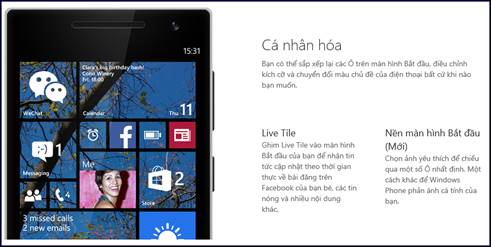
Microsoft today announced the first update for Windows Phone 8.1 and Cortana availability in new markets including China and the UK.
Microsoft today announced the first update for Windows Phone 8.1 and Cortana availability in new markets including China and the UK.
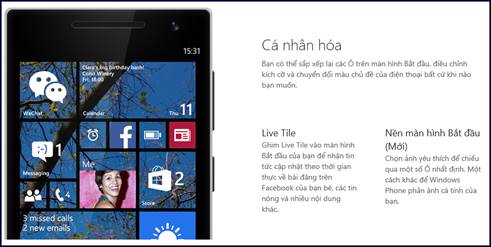
The Windows Phone 8.1 Update brings a handful of new features customers have been asking for. And below are typical new functions of Windows Phone 8.1 Update:
Cortana
Besides the update for Cortana, as a “beta” for UK and China, Microsoft also lands Cortana “alpha” in Canada, India and Australia.
To be famous as smart assistant, the new Cortana is added up new natural language scenarios, snooze times for reminders and number of neat additions to “her” personality.
Beside supporting the US English, Cortana now also can talk UK English and Chinese. For the UK version, Cortana has been tailored to support UK spellings and pronunciations with Bing provided local data on sports, the London Stock Exchange, and commuter conditions. With Chinese version, she can look up English words in the Bing Dictionary for people looking to brush up on their English.
Live Folders
Users now can organise their apps into folders on their Start screen! Microsoft calls this Live Folders because the live tiles of apps appear in the tile of the folders, so people won’t miss tile updates because you group apps in a folder. Users also can open the folder and change the folder name or size as they want.
Xbox Music: Faster and with more features
The Xbos Music app has been updated to deliver better performance in areas like app load and list scrolling. Some new features such as “quickplay” of recent playback activities and support for Kids Corner will come soon.
SMS Merge and Forwarding: Users can select individual messages to delete out of a messaging thread, or selected messages can be copy/pasted into a new message to forward.
Multiple selection to delete contacts and call logs: Lets users select and delete multiple logs in the calling history or multiple contacts in the People Hub.
Snooze times in alarms: Users can now personalise the default snooze time within the Alarm app to determine the snooze time they want. The feature offers snooze times of 5, 10, 20, 30 or 60 minutes on the alarm edit page. The default moves from 9 to 10 minutes.
Apps corner: Apps Corner is much like Kids Corner, allowing users to set up a sandboxed environment with the apps and features they choose. RSPs can optimize their device to show only the most important apps and features they need in order to sell a device. Small business owners can purchase and set up devices for their employees without the need for enterprise services like Mobile Device Management (MDM).
Live Tile Store Updates: Discovering a great new app is one of the most rewarding things about using a Windows Phone, and now it’s easier than ever. Windows store now shows app recommendations right on the Store Live Tile. The tile for the app Store updates automatically with information about the latest apps and games. So people can quickly see if there's something new and check it out.
Enhanced privacy and security: Microsoft have made some improvements in the Windows Phone 8.1 Update for keeping users’ data and identity more protected on public network. For example, Microsoft has added the ability for you to send and receive data through a virtual private network when connecting to wi-fi hotspots giving you another layer of protection, according to Ba Quang, a famous developer at Vietnam.. “If you are on home wireless, creating a VPN provides anonymity to help shield your device from being identified by other devices on the network”, he added.
The Windows Phone 8.1 Update will roll out to consumers with devices running Windows Phone 8.1 in the coming months. People would like to see more info can visit:www.microsoft.com/windowsphone.